Paperless poolside registers that actually work
Ditch the soggy clipboards and lost paper registers. Track attendance digitally with real-time registers that coaches can access on any device, even offline.
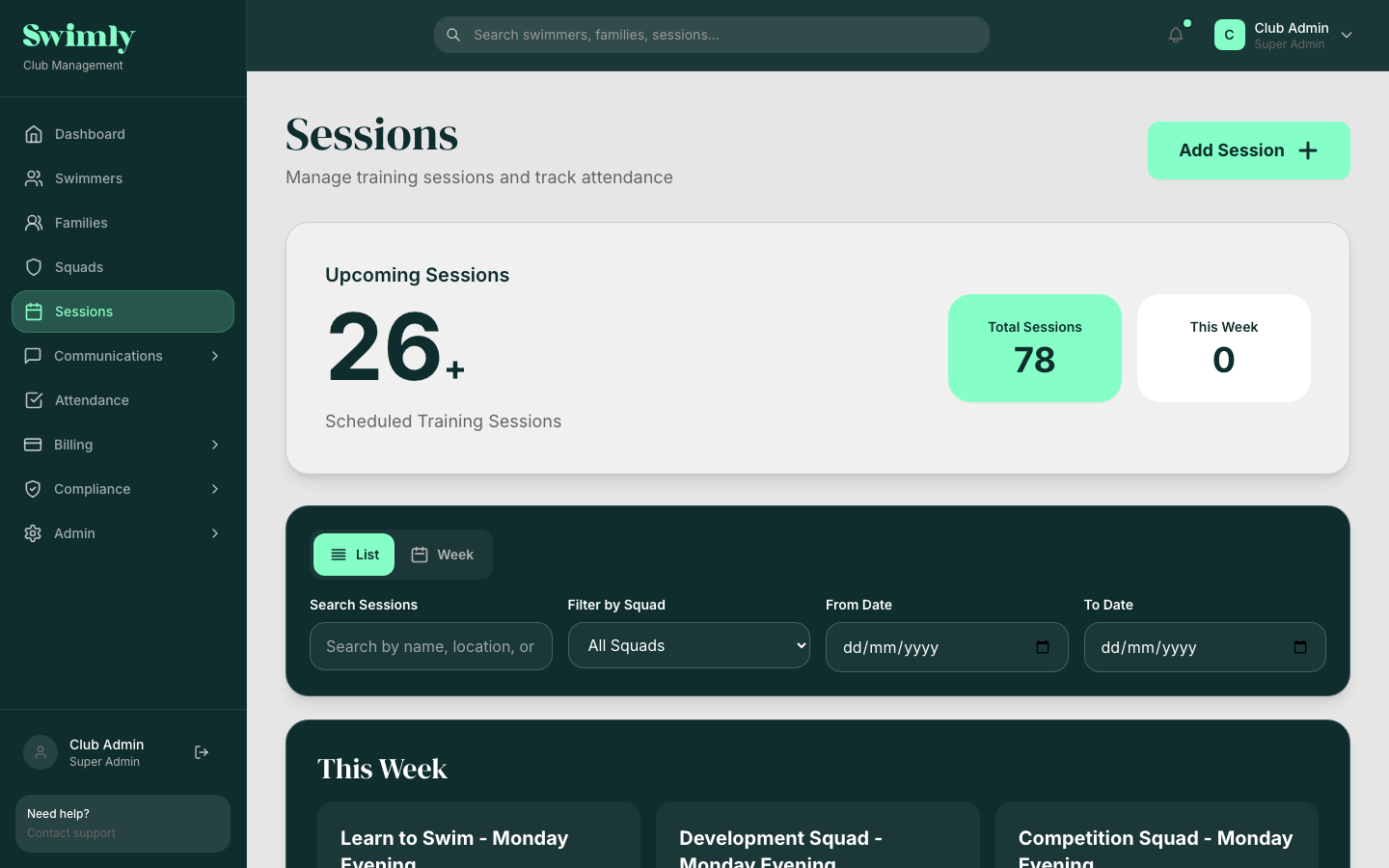
Session management on desktop, one-tap attendance on mobile poolside
Phone, tablet, or laptop poolside
Syncs when connectivity returns
Mark present, absent, or late instantly
Handles wet screens and bright sunlight
Paper registers vs Swimly
See why clubs are ditching clipboards for digital attendance tracking.
| Paper Registers | Swimly Digital | |
|---|---|---|
| Poolside use | Gets wet, ink smudges | Works on wet screens |
| Data entry | Manual, re-keyed later | One tap, saved instantly |
| Reporting | Hours in spreadsheets | Automatic, real-time |
| Lost records | Common, not recoverable | Cloud-backed, permanent |
| Parent visibility | None, have to ask coach | Self-service via parent portal |
| Safeguarding | Hard to spot patterns | Flags irregular attendance |
| AGM preparation | Days of admin | Export in one click |
Digital poolside registers
Pre-populated with expected swimmers for each session. Coaches simply tap to mark attendance. No typing names, no deciphering handwriting, no entering data later.
- Squad lists auto-populated from your session schedule
- Mark present, absent, or late with one tap
- Works offline and syncs when back online
- Add notes for individual swimmers (injury, trial, etc.)
Organise sessions and squads
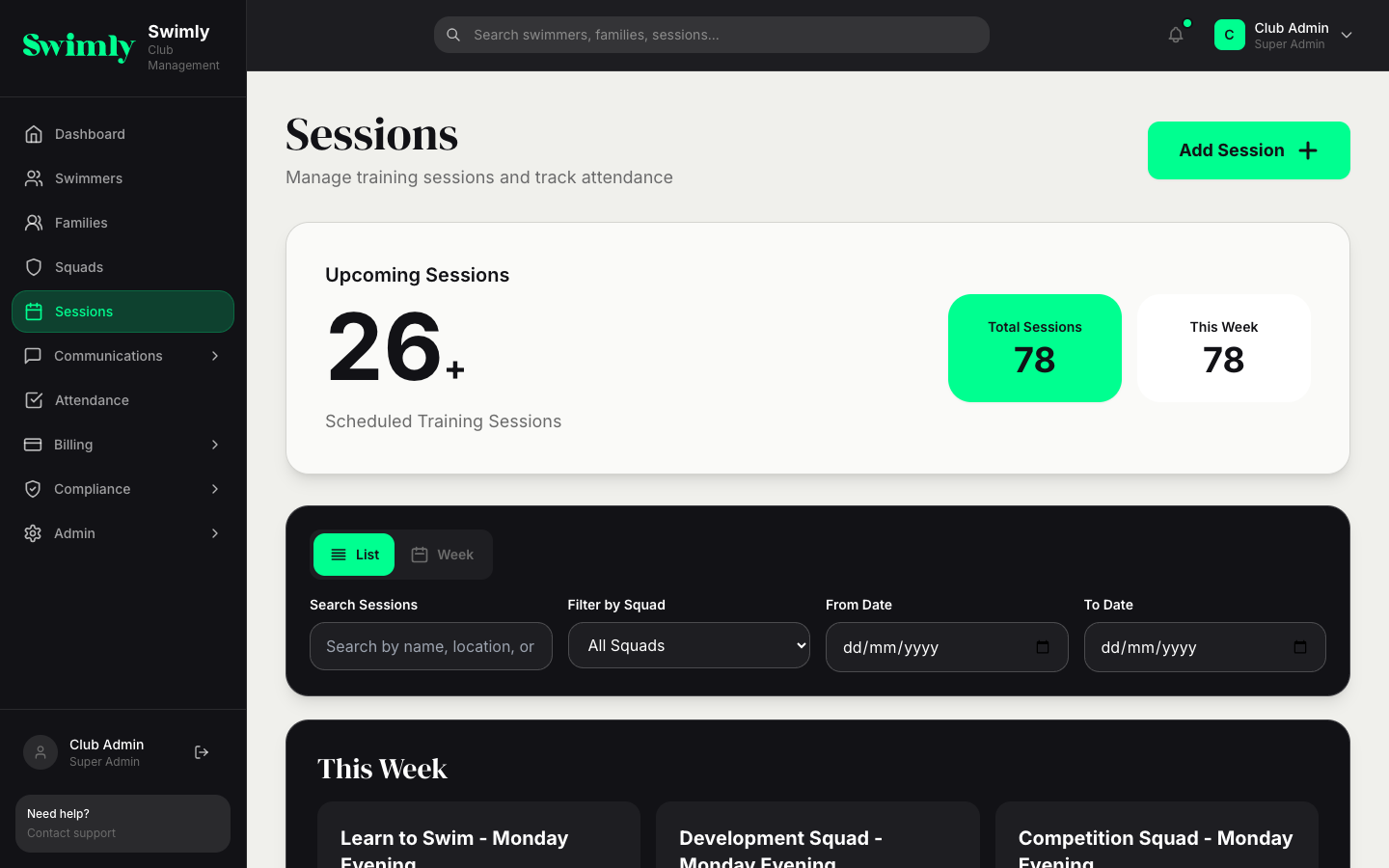
Set up your weekly schedule once and Swimly handles the rest. Recurring sessions, squad assignments, coach allocation, and cancellation notifications all in one place.
- Create recurring sessions with squad assignments
- Assign coaches to sessions automatically
- Track pool time usage across all sessions
- Notify squads of cancellations instantly
Real-Time Visibility
- Parents see attendance records in their portal
- Admins view attendance across all sessions in real-time
- Automatic absence notifications sent to parents
- Flag patterns of non-attendance for follow-up
Attendance Reporting
- View attendance rates by squad, session, or individual
- Export attendance data for committee reports
- Historical trends showing attendance patterns
- Link attendance to billing for pay-as-you-swim models
How attendance tracking works
From session setup to AGM-ready reports in four simple steps.
Set up sessions
Define recurring sessions and assign squads. Registers auto-populate with expected swimmers.
Take attendance
Coaches open the register poolside and tap to mark who is present. Works offline.
Parents notified
Parents see attendance in real-time via their portal. Automatic alerts for absences.
Track trends
Spot at-risk swimmers, celebrate high attendance, and optimise your schedule.
Built for coaches and volunteers
Swimly is designed for the people who actually stand poolside. Large tap targets for wet fingers, high-contrast interface for bright pool halls, and offline support for patchy Wi-Fi. No training needed, coaches pick it up in seconds.
Try it poolsideLarge buttons, simple interface
No Wi-Fi? No problem
Works with wet hands
Open, tap, done
"We used to lose registers constantly. Now attendance is tracked digitally, coaches can access it poolside on their phones, and parents can see it in real-time. Game changer."
Head Coach, Bristol Dolphins
Related features
Go paperless poolside
Create your club today. Free for clubs under 50 members, no card required.
Start your club, freeFree for clubs with fewer than 50 members. No credit card required.